Special Groups
Special groups are created and maintained in Item > Special groups

What are special groups?
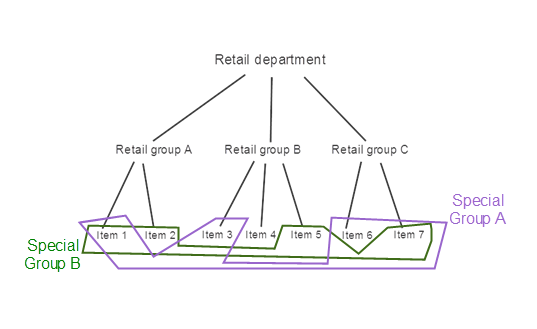
- A special group is a group of any items
- An item can belong to many Special groups
- Items do not inherit values from Special groups (as with Retail groups) this means that you can group any items together under Special groups.
- The Special groups do not affect or work together with Retail groups and Retail departments, but an item can belong to both a Retail group and Special groups.
Usage
- Periodic discounts can be created for all items in a special group.
- Example: Create a discount for all items of a particular brand even though they are not in the same retail group.
- use for reports
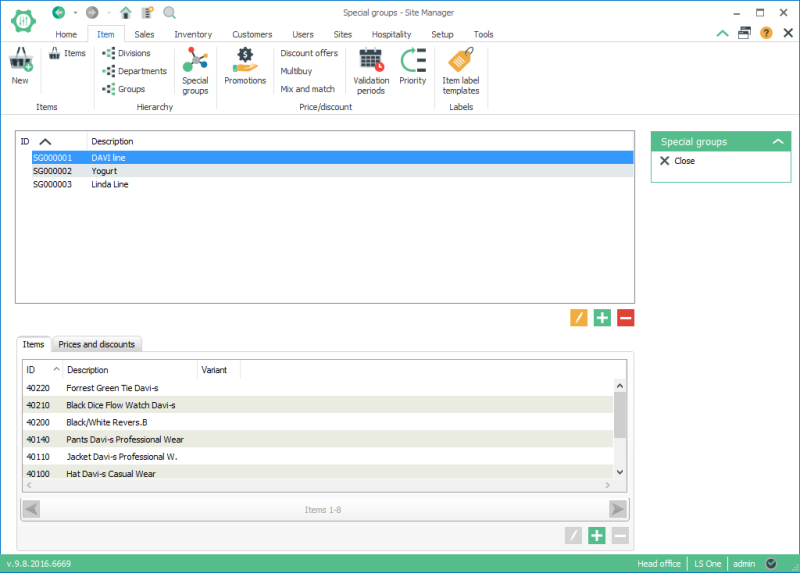
The Special groups view
Create a new special group
To create a new special group click the  button below upper list, the list of special group.
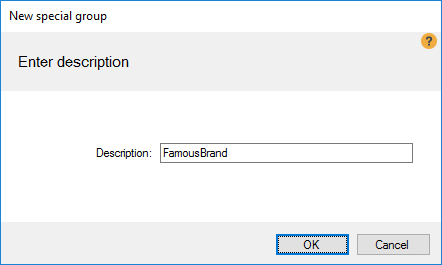
Enter a description for the new special group in the New special group dialog and press the OK button.
Add items to a special group
There are two ways of adding items to a special group:
- Adding one or many items to a special group in the special group view.
- Adding a specific item to to a special group from the item view.
Adding items from the special group view
- To add items to the special group from the special group select the item tab in the lower list view and press the button below the list.
- In the Item search dialog you can search for items and hold the ctrl button on the keyboard to select multiple items.
- Press select when you have selected all the items to add to the group
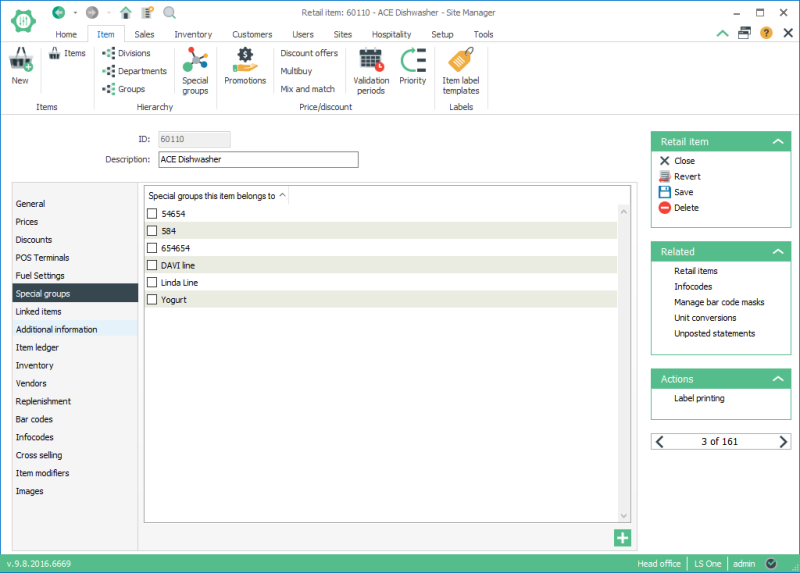
Adding an item to one or more special groups from the item view
- Open the item view for the item to be added to the Special group.
- Select the Special group tab.
- A list of all special groups are displayed in a list.
- Select all special groups the item should be added to and then press the save button
See also:
| Inserted: | 2nd July 2013 |
| Version: | LS Retail .NET 2012 |

